
Deleting your Facebook account may be a fantasy you entertain briefly every time you see one too many intrusive ads or political posts on your feed. W
Deleting your Facebook account may be a fantasy you entertain briefly every time you see one too many intrusive ads or political posts on your feed. We understand.
The good news is, you have two options for fulfilling this fantasy: deactivation, which can be undone, or full-on deletion—and even then, you have a chance to change your mind. Here’s how they both work.
Deactivate your Facebook account
 Melissa Riofrio/IDG
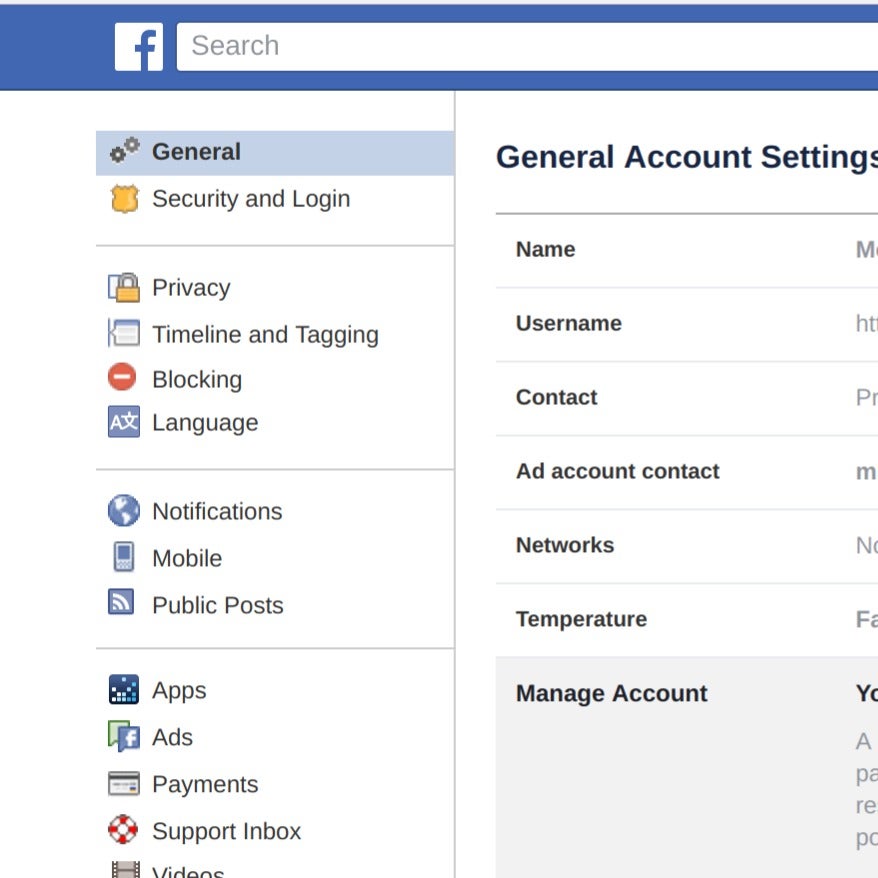
Go to your Facebook Settings and select General to find the deactivate option.
Deactivating your Facebook account puts it on hiatus. Your profile will be removed from the site, as will most of what you posted to Facebook, though messages and other things will stick around).
Deactivation can be undone. Facebook will retain your data in case you decide to come back. You can always reactivate your account later by logging in to Facebook. If you’re not sure you want to leave permanently, this is a great way to try the Facebook-free life before you make a final decision.
To deactivate your account, log in to Facebook. At the top of your Facebook page, click the down-arrow icon at far right. Choose Settings from the menu that appears, and then on the next screen select General from the list along the left side of the window.
 Melissa Riofrio/IDG
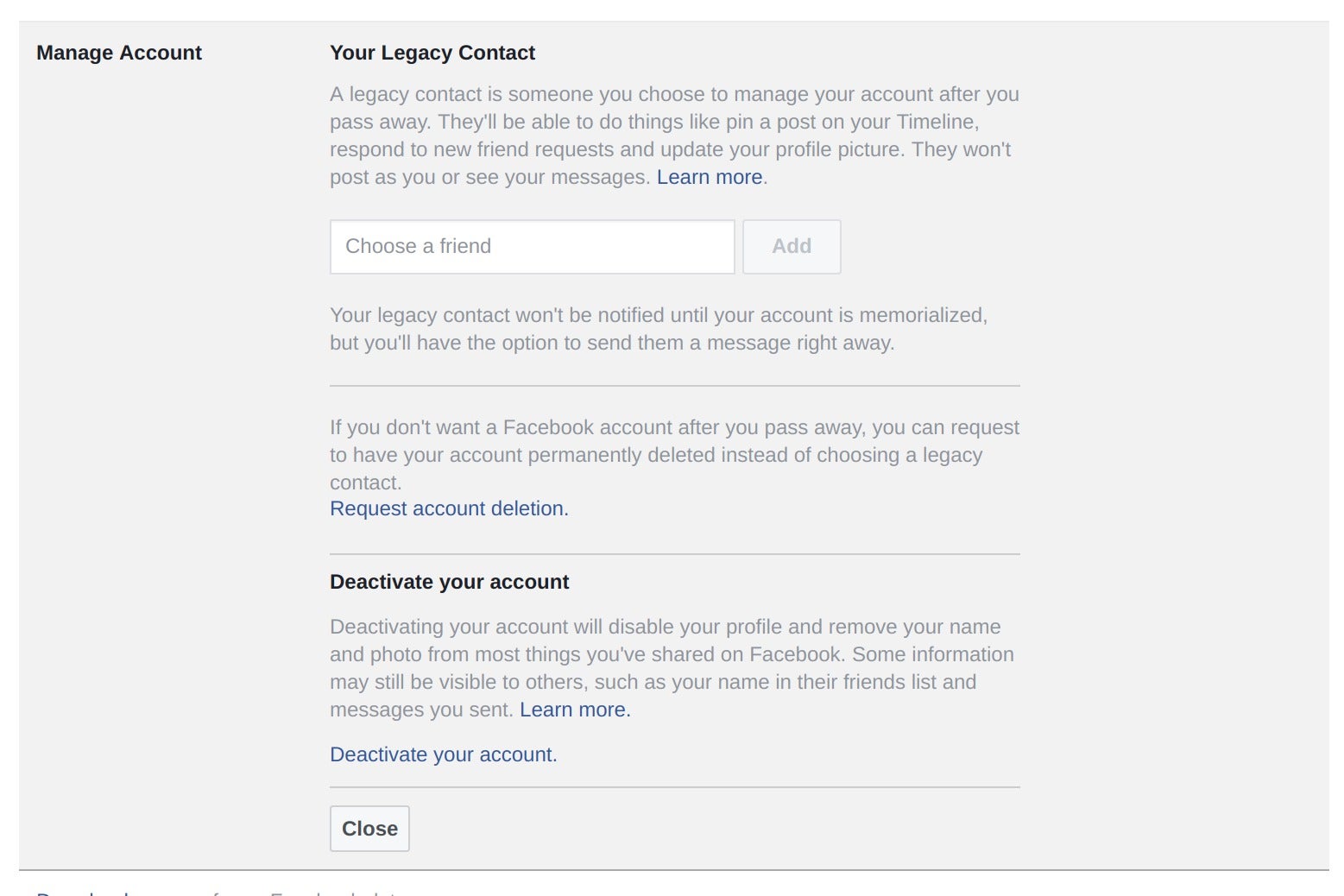
You’ll find the deactivate option in the Manage Account section.
Once there, go to the Manage Account section at the bottom to find the option to deactivate your account. Click Deactivate your account to start the process.
 Melissa Riofrio/IDG
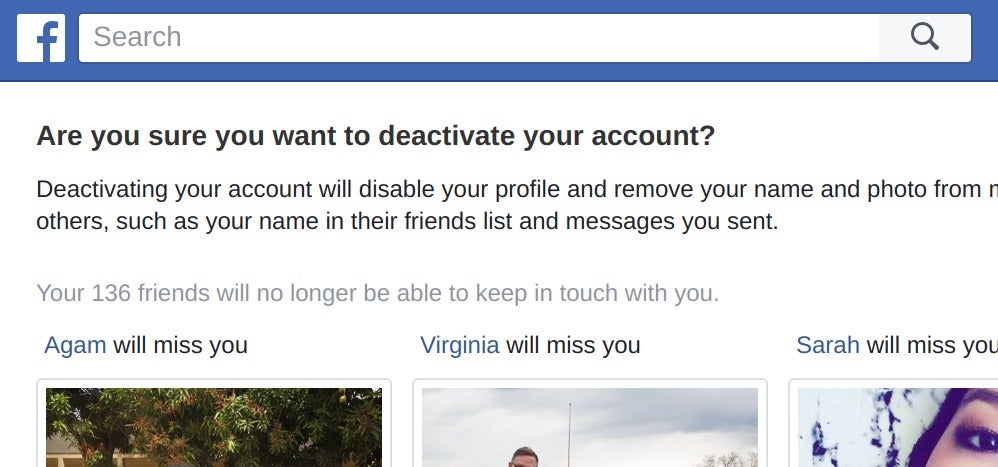
Facebook tries to talk you out of deactivating your account, natch, by reminding you of all your friends who will miss you if you leave.
Facebook will try to guilt you into staying by showing you photos of your Facebook friends, and then asking you why you want to deactivate your account.
 Melissa Riofrio/IDG
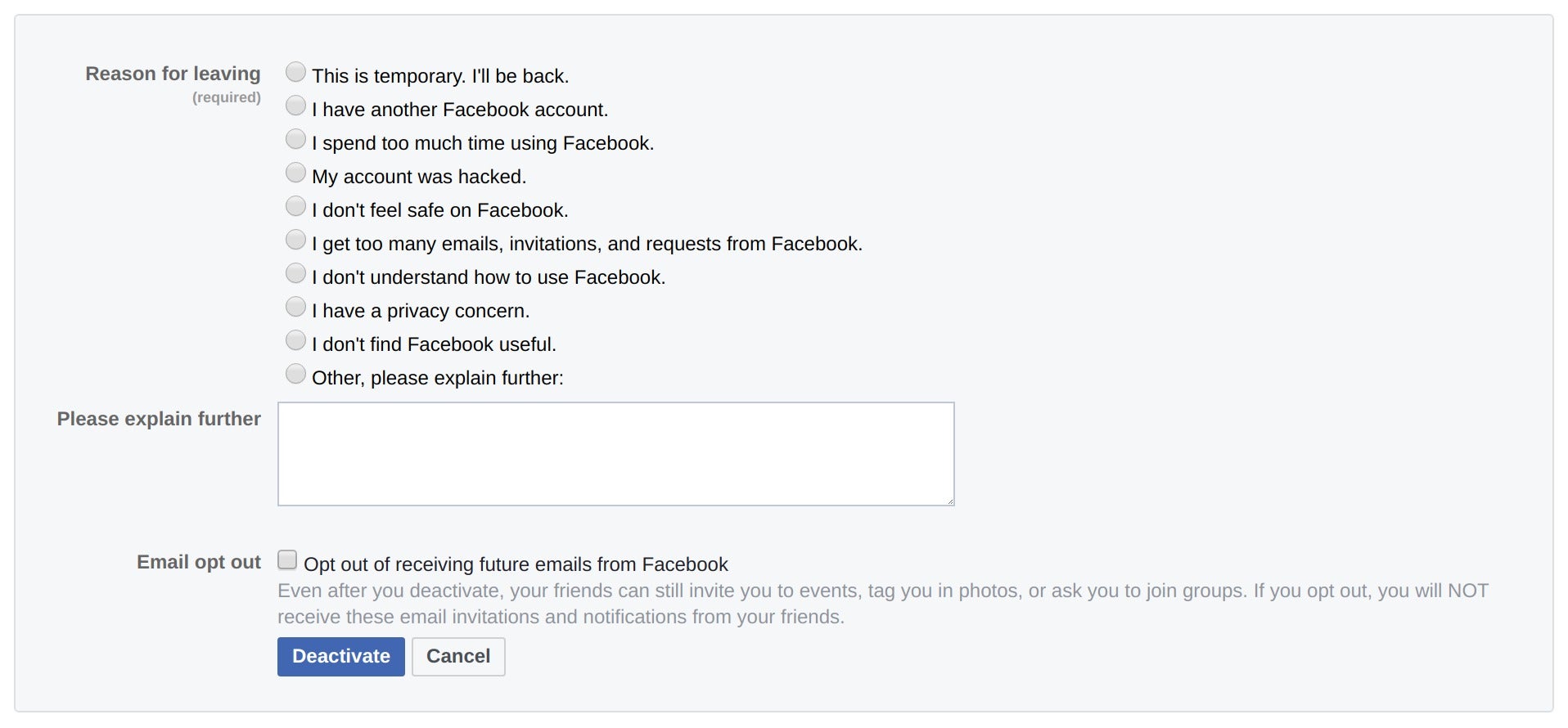
Lastly, Facebook asks you why you want to deactivate. The actual Deactivate button is at the bottom.
Once you tell Facebook why you don’t want to be friends anymore, click the Deactivate button, enter your password one last time, and Facebook will proceed to deactivate your account. Remember, you can always go back by logging into Facebook.
Delete your Facebook account
Deleting your Facebook account, on the other hand, kills it completely. You won’t be able to log back in to retrieve or view anything you’ve posted to Facebook, and if you want to use Facebook again, you’ll have to start from scratch. You can find all the details if you hit the help icon at the top right of your Facebook account page (it looks like a question mark) and type deactivate account into the search bar that appears. Hit the let us know link in this description to start the deletion process.
 Adam Patrick Murray/IDG
The instructions for deleting your Facebook account are easy to find: Just hit the question-mark icon at the top of your account page and type delete account into the text bar that appears.
(Note: Facebook recommends that you download a copy of the data you’ve published to the site before you delete your account. Open the Settings menu on Facebook as described above, and go to the General page. You’ll find a link at the bottom to download a copy of your Facebook data. Click the link. The service will then guide you through the process of downloading an archive of all your Facebook data.)
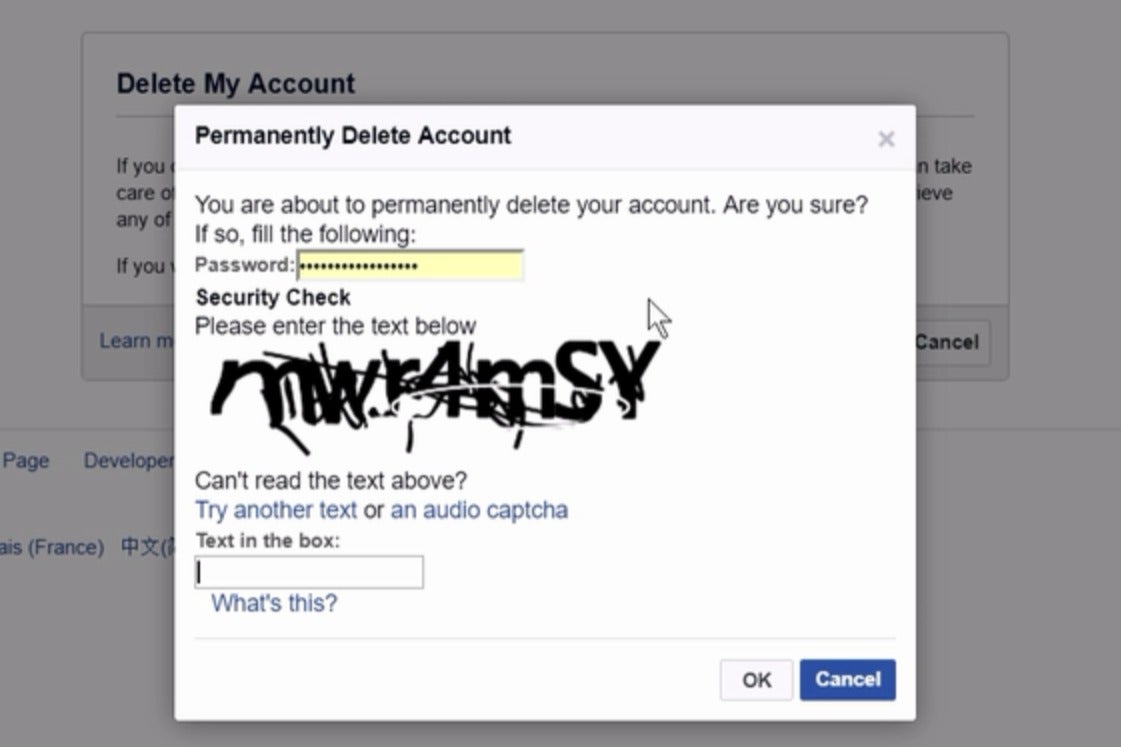
Facebook wants to make sure you are who you say you are before it deletes an account, so you’ll have to enter your password and pass a text-recognition test to proceed.
 Adam Patrick Murray/IDG
When you decide to delete your Facebook account, you have to log back in first and prove you’re not a bot.
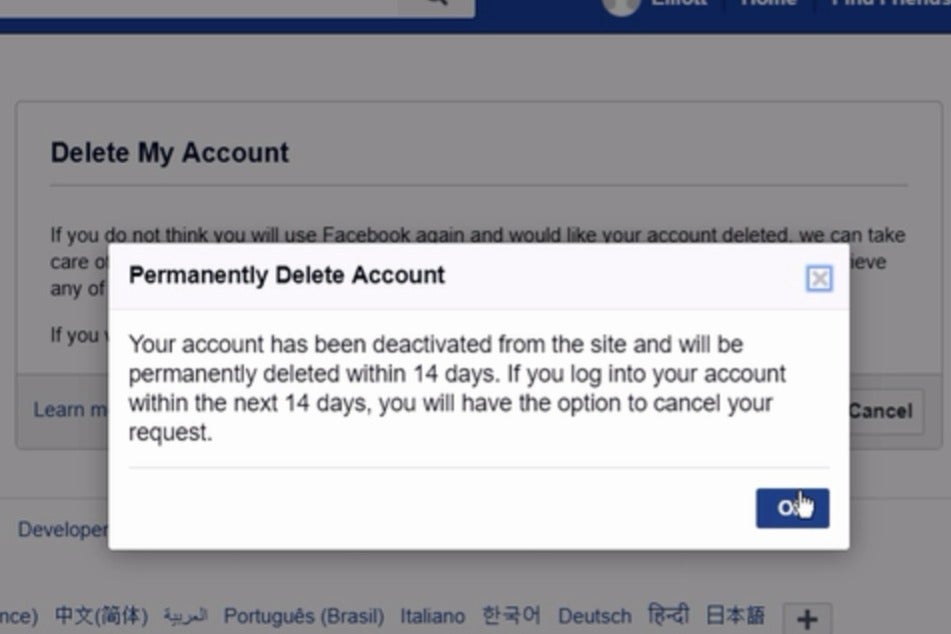
Once you’ve proven you’re not a bot, a Permanently Delete Account dialog box will appear. Take a moment to read the explanation of what’s going to happen. Note the 14-day window to change your mind before your Facebook account is really, truly dead to you.
This is it: If you hit the OK button, Facebook will begin the account deletion process.
 Adam Patrick Murray/IDG
When you delete your Facebook account, you get 14 days to change your mind.
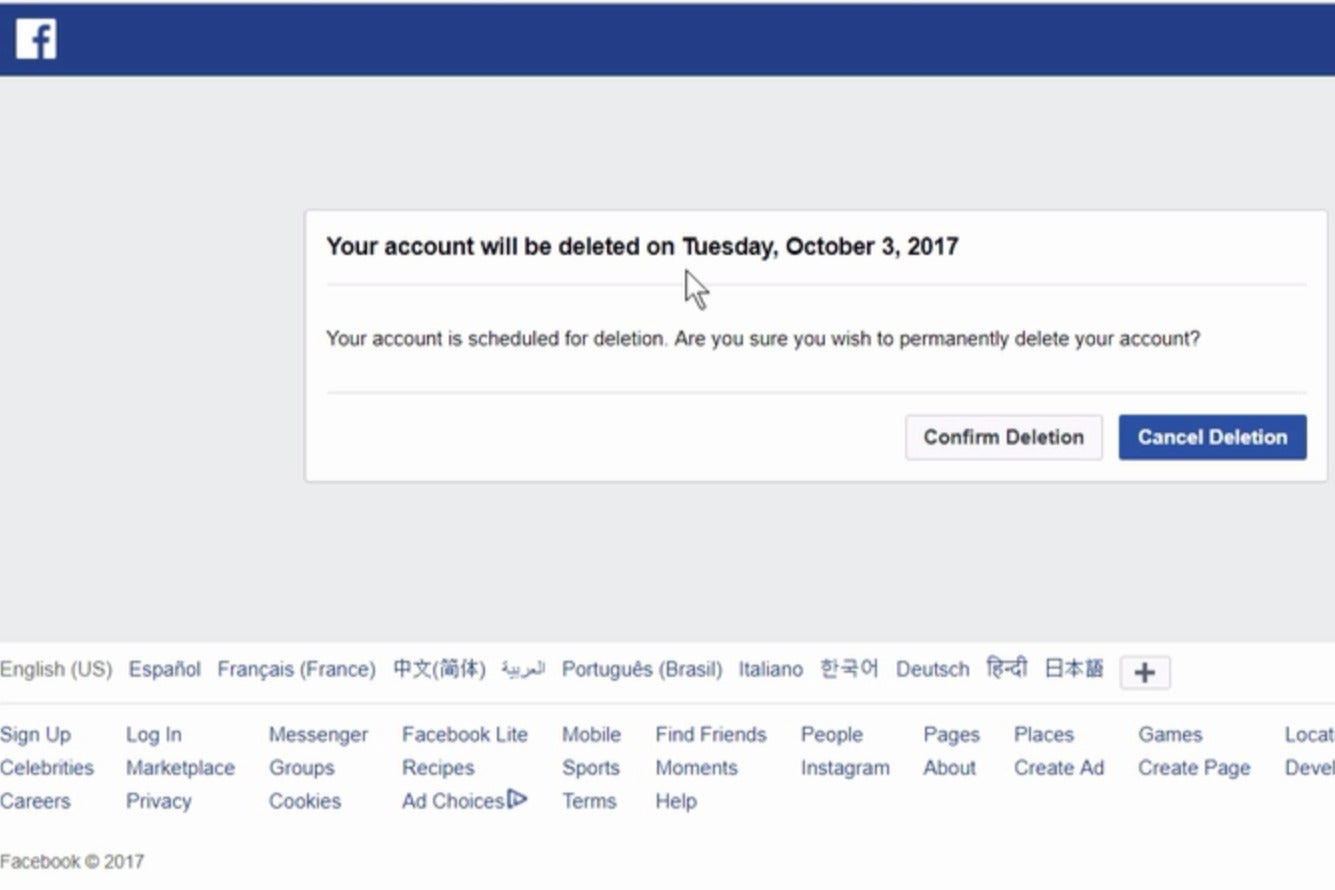
If you choose to delete and then change your mind, no problem! All you have to do is log back into Facebook within those 14 days. You’ll see this dialog box where you can cancel the deletion.
 Melissa Riofrio/IDG
You have 14 days after deleting your account to log back in and save it from obliteration.
Editor’s Note: This is an updated version of an article we originally published on September, 30, 2013.
This story, “How to delete or disable your Facebook account” was originally published by
TechHive.

COMMENTS